Description
We demonstrate the attack on the three missions: Circle, Linear, and Hold.
Specifications
Hardware
Intel i5 6500 quad core, Ubuntu 22.04, 16GB RAM, AMD Radeon Vega 20 GPU.
Simulation
PX4 Software-In-The-Loop (SITL) with Gazebo.
The world is set to empty.world where there are no obstacles and weather conditions such as wind or rain, only a flat land.
Vehicle type is set to default: a quadrotor without any cameras.
To run the SITL simulation with such configuration, run make px4_sitl gazebo at the root of the PX4 directory.
Setup
A python script handles the launch of the simulator, serves as a ground control station (i.e., issue commands to the vehicle), and the attack server.
- it executes the simulation as a subprocess (via
popen) and waits for the quadrotor in simulation to be ready (i.e., establish TCP connection with the exfiltrator). - Once the quadrotor is ready, the script sends the take-off command.
- After takeoff, the script sends mission commands
- In parallel, the attack starts
- The data collected throughout the mission is written to the disk
- The collected data is played back for demonstration.
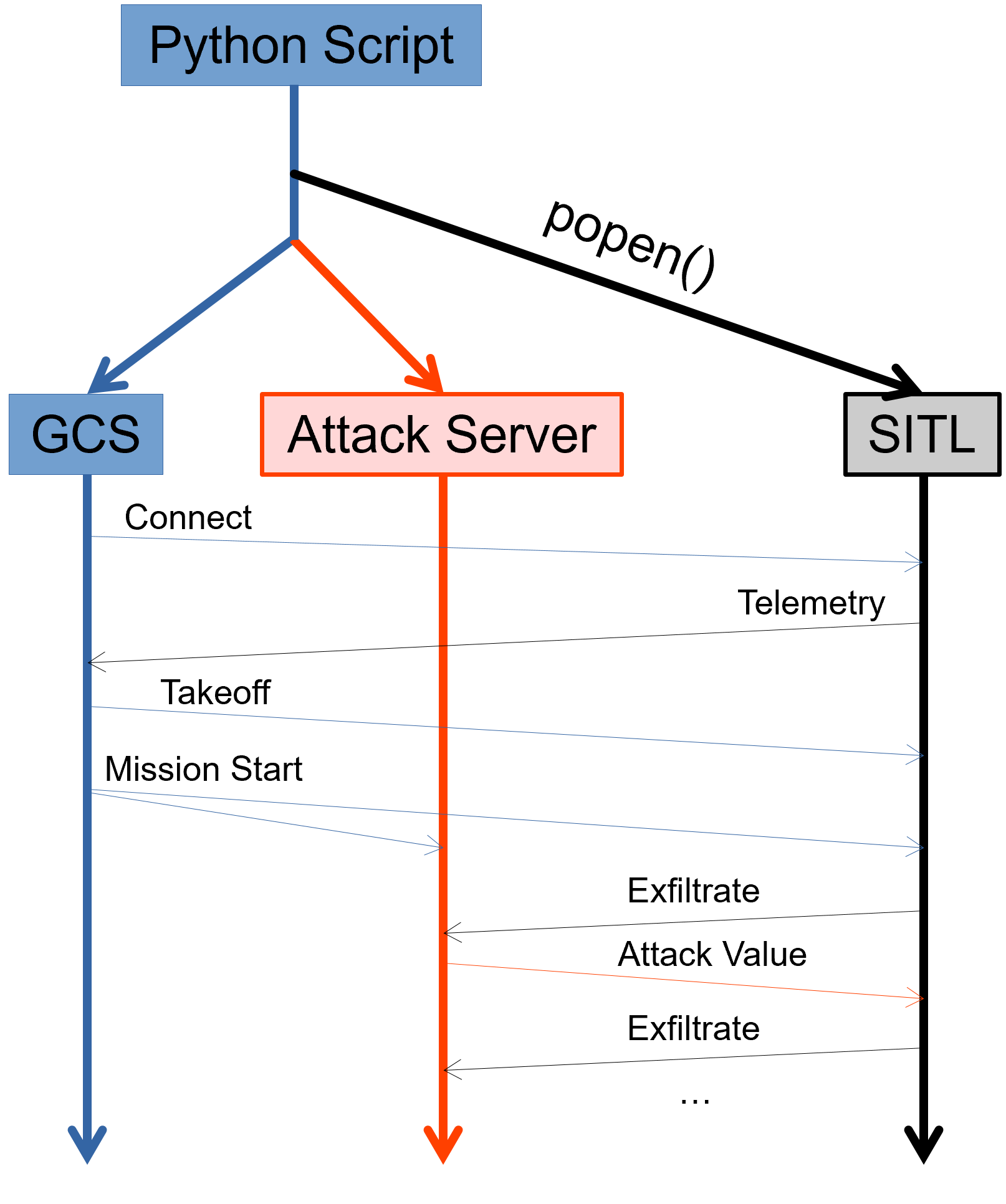
Demonstrations
For each demonstration, we consider the following trajectories
- Planned trajectory: Ideal mission trajectory (black line)
- Normal trajectory: Trajectory of the vehicle when there are no attacks (blue line)
- Attack Trajectory: True trajectory of the vehicle while under attack (red line)
- System POV Trajectory: Trajectory the system believes to have taken while under attack (dashed green line)
- Overt Trajectory: Attack trajectory after anomaly detector alarms (dashed red line)
A black X mark indicates that the attack triggered an anomaly detector,